At CoHosta, our technical team views a migration as a delicate surgical procedure. If you are planning a move, utilizing a professional website transfer service ensures that your database integrity and server configurations are optimized for search engine crawlers from day one.
What is Post-Migration SEO?
Post-migration SEO is the process of verifying that a website’s search engine visibility, indexing status, and link equity remain intact after moving to a new hosting environment or domain. It involves a systematic audit of 301 redirects, canonical tags, and server response codes to prevent ranking fluctuations and ensure Google can crawl the new infrastructure efficiently.
The Critical 301 Redirect Checklist for Maintaining Rankings
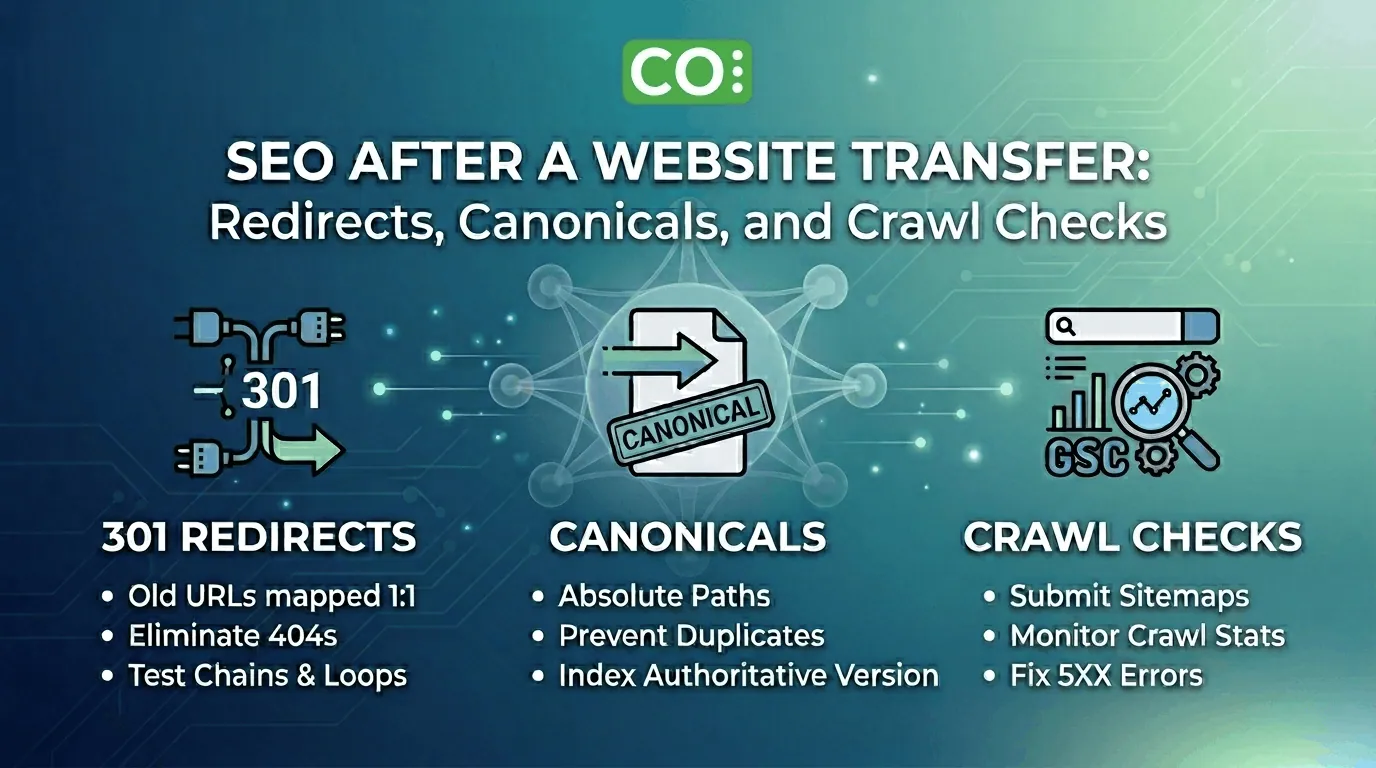
The most common cause of traffic loss during a migration is a broken or incomplete redirect strategy. A 301 redirect checklist is your primary defense against 404 errors that frustrate users and signal instability to Google.
Mapping Old URLs to New Destinations
Every single indexed URL from your old environment must have a clear destination on the new site. If you are changing your URL structure during the move, 1:1 mapping is essential. Avoid redirecting all old pages to the homepage; this is a “soft 404” signal that provides zero SEO value to the specific content being replaced.
Testing Redirect Chains and Loops
Excessive redirects drain your crawl budget. Ensure that your old URLs point directly to the final destination rather than passing through multiple hops. You can use tools like Screaming Frog or Ahrefs to identify redirect chains that might slow down bot discovery.
“When moving a site, 301 redirects are the only way to ensure that the search engine’s index is updated and that the user experience is seamless. Neglecting this step is essentially telling Google to start your SEO journey from scratch.”
— Google Search Central
Validating Canonical Tags and Metadata
Canonical tags act as a compass for search engines. After a transfer, it is common for CMS settings to revert to default values, which can lead to self-referential canonical issues or, worse, tags pointing back to the old staging environment.
Ensuring Absolute vs. Relative Paths
For migration seo success, ensure your canonical tags use absolute URLs (e.g., https://cohosta.com/page/) rather than relative paths. This eliminates any ambiguity for crawlers regarding which version of the page is the authoritative one, especially if your site is accessible via multiple subdomains or IP addresses during the propagation period.
Essential Search Console Checks Post-Migration
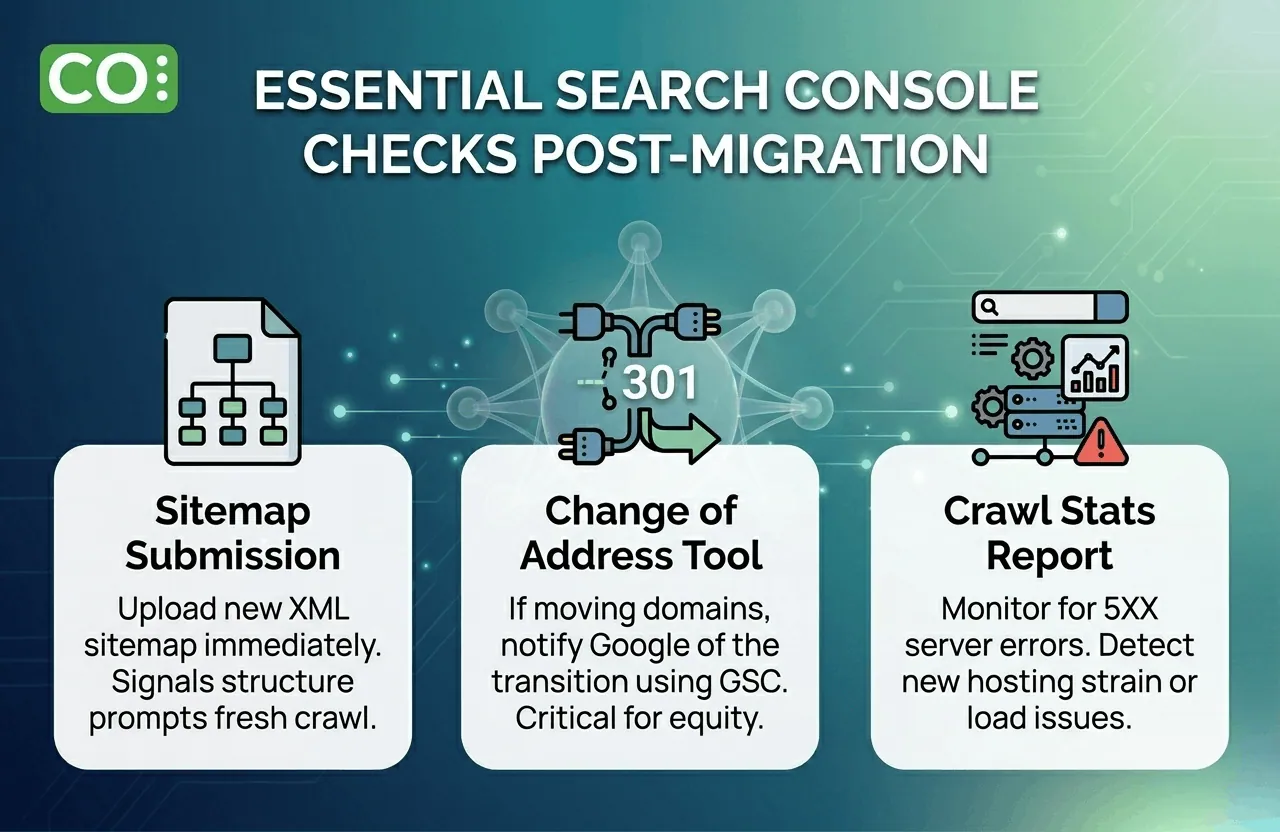
Your primary source of truth during this transition is Google Search Console (GSC). Performing specific search console checks allows you to see the move through the eyes of the algorithm.
- Sitemap Submission: Upload your new XML sitemap immediately. This signals to Google that the structure has changed and prompts a fresh crawl of the new URLs.
- Change of Address Tool: If you are moving to a new domain, use the Change of Address tool in GSC to notify Google of the transition.
- Crawl Stats Report: Monitor the “Crawl Stats” report to ensure there are no sudden spikes in 5XX server errors, which would indicate that your new hosting environment is struggling to handle the bot load.
Monitoring the Indexing Coverage Report
Check the “Indexing” report daily for the first week. You are looking for a steady decrease in “Valid” pages on the old property and a corresponding increase on the new one. Any sudden surge in “Excluded” pages warrants an immediate technical deep dive.
Technical Infrastructure and Server Performance
SEO is not just about tags; it is about how the server responds. A high-performance host ensures that your Time to First Byte (TTFB) remains low. If your new host is slower than the previous one, your rankings may slip even if your redirects are perfect. This is why following a comprehensive website transfer checklist is vital for business continuity.
Robots.txt Verification
It is a common mistake to leave a “Disallow: /” command in the robots.txt file from a staging environment. Ensure your robots.txt is updated to allow full crawling of your public-facing pages. You can verify this using the Bing Webmaster Tools Robots.txt Tester to ensure cross-engine compatibility.
Post-Transfer Redirect Mapping Template
To keep your migration organized, use a simple table to track your highest-value assets. This ensures that your most profitable keywords do not lose their landing pages.
| Old URL Path | New URL Path | Status Code | Priority |
|---|---|---|---|
| /old-service-page/ | /services/new-page/ | 301 | High |
| /blog/post-2023/ | /blog/optimized-post/ | 301 | Medium |
Analytics and Conversion Validation
Finally, ensure your tracking scripts are firing correctly. Migration often breaks Google Tag Manager containers or GA4 configurations. Validate that your “Thank You” pages and conversion events are recording data accurately. For more technical insights on maintaining a healthy web presence, visit CoHosta.
Ready for a Flawless Move? Stop worrying about 404s and lost equity. Trust the technical leads at CoHosta to execute your migration with surgical precision. Get started with our website transfer service here. Full details are on our WordPress migration service page.
Data Insight: Research indicates that websites failing to implement proper 301 redirects during a migration can see an immediate organic traffic loss of up to 40%.
Source: Search Engine News