Every website owner knows the sudden spike of panic that occurs right after clicking “Update Now” in the WordPress dashboard. Utilizing WordPress staging best practices is the absolute best way to eliminate this risk entirely. Will the site load perfectly, or will it crash into the dreaded White Screen of Death? Managing website updates manually on a live server is a high-risk gamble that can cost your business revenue, search engine rankings, and user trust.
Implementing a proper workflow is the definitive solution to eliminate update anxiety. By testing every change in an isolated environment before going live, you ensure that your business-critical website remains secure, fast, and completely online.
What is a WordPress Staging Environment?
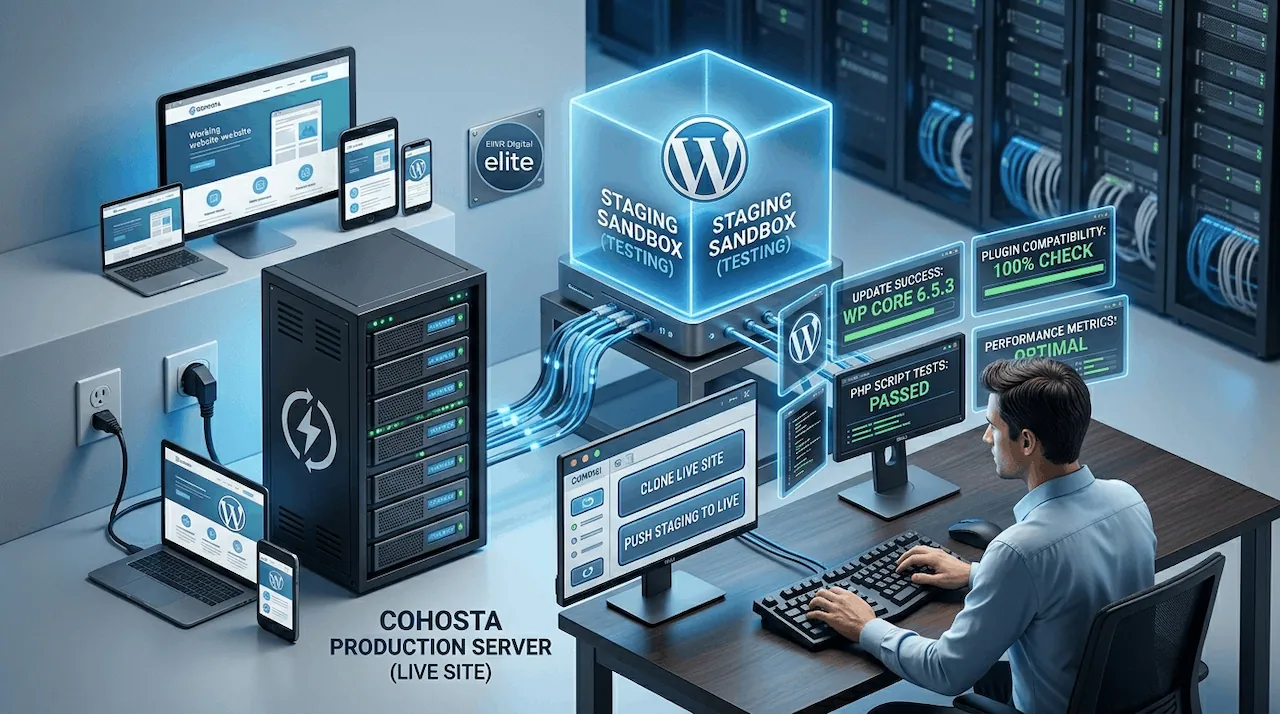
A WordPress staging environment is a precise, private clone of your live website hosted on a separate, isolated server environment. It allows web developers, agency owners, and site administrators to test core software, theme updates, plugin updates, and custom code scripts safely without affecting the public-facing website or disrupting the user experience.
Using a staging environment is widely considered the gold standard for maintaining site health and executing a strategy for safe WordPress updates.
The Step-by-Step Staging Workflow for Safe WordPress Updates
To eliminate technical errors and maintain maximum uptime, your development and maintenance teams should adhere to a strict, five-step deployment workflow.
1. Clone Your Live Site to Staging
The process begins by creating an exact replica of your production website. This includes copying your entire database, WordPress core files, media library, themes, and plugins into the isolated sandbox. Modern hosting infrastructure allows you to generate this environment with a single click, ensuring your testing environment perfectly mirrors your live setup.
2. Execute Core, Theme, and Plugin Updates
Once the sandbox is active, apply all pending updates within the staging dashboard. Always update the WordPress core software first, followed by your active themes, and finally your plugins. This isolated environment is the ideal place to discover if a newly released plugin version conflicts with your PHP settings or your active theme files.
3. Run Comprehensive Script and Functionality Testing
Do not just assume the site works because the homepage loads. You must systematically test all critical user paths. Fill out contact forms, test the checkout process if you run an e-commerce store, check your layout across mobile devices, and monitor your error logs for any hidden script failures or performance bottlenecks.
4. Push Verified Changes to Production
After thoroughly verifying that the website functions flawlessly and that your speed metrics remain optimal, it is time to deploy. Use your hosting control panel to push the clean, tested staging environment directly to the live production server, seamlessly overwriting the old files with zero downtime.
5. Establish a Reliable Rollback Plan
Even with rigorous testing, unexpected server anomalies can occur during deployment. A professional workflow always requires a robust rollback plan. Before pushing your staging site live, ensure a fresh, automated system backup is generated so you can revert the live environment instantly if an unforeseen conflict arises.
Why Staging is Critical for Business and Technical Support
For growing enterprises and agencies managing multiple client sites, relying on standard shared hosting setups for updates is an operational hazard. If an update breaks a script on a live site, finding the root cause under pressure can take hours.
According to the technical standards published by the World Wide Web Consortium (W3C):
“Web editing and development require consistent testing in isolated spaces to ensure accessibility, script validation, and quality assurance are met prior to public deployment.” -level configurations are adjusted rapidly without impacting your daily business operations.
Maximize Site Security with Managed WordPress Hosting Features
Manually creating a staging site by exporting databases and configuring subdomains is time-consuming and prone to human error. Utilizing a premium managed WordPress hosting platform completely automates this technical overhead.
High-performance hosting infrastructure provides native tools designed specifically to support enterprise growth. With integrated one-click cloning, automated daily backups, specialized server-side caching, and isolated staging environments, you can manage your digital footprint with absolute confidence.
How Server Architecture Impacts Staging and Deployment Speed
Not all staging tools are created equal. Many budget hosts place your staging environment on the exact same resource pool as your live website. This means that running heavy script tests or compiling code in staging can drain your server’s CPU and RAM, drastically slowing down your live site for actual customers.
True high-performance infrastructure isolates the staging environment completely. This separation ensures that your live transactional traffic remains lightning fast, maintaining your SEO performance and conversion rates while your development team freely tests resource-intensive scripts in the background.
For comprehensive digital management, pairing your secure hosting workflow with strategic asset handling, like the practices outlined in the Search Engine Journal guide on WordPress structures, ensures your technical foundation remains flawless from server configuration to URL architecture.
Conclusion: Protect Your Digital Investment
Treating your live website as a testing ground is an unnecessary risk that can cause extended downtime, broken user experiences, and dropped search rankings. Adopting a professional deployment workflow keeps your business safe, stable, and prepared for continuous growth.
Whether you are an SMB owner protecting your primary digital asset or an agency scaling your client operations, partnering with a high-performance host like CoHosta provides the advanced infrastructure, one-click staging capabilities, and 24/7 technical support needed to keep your web presence completely secure.