
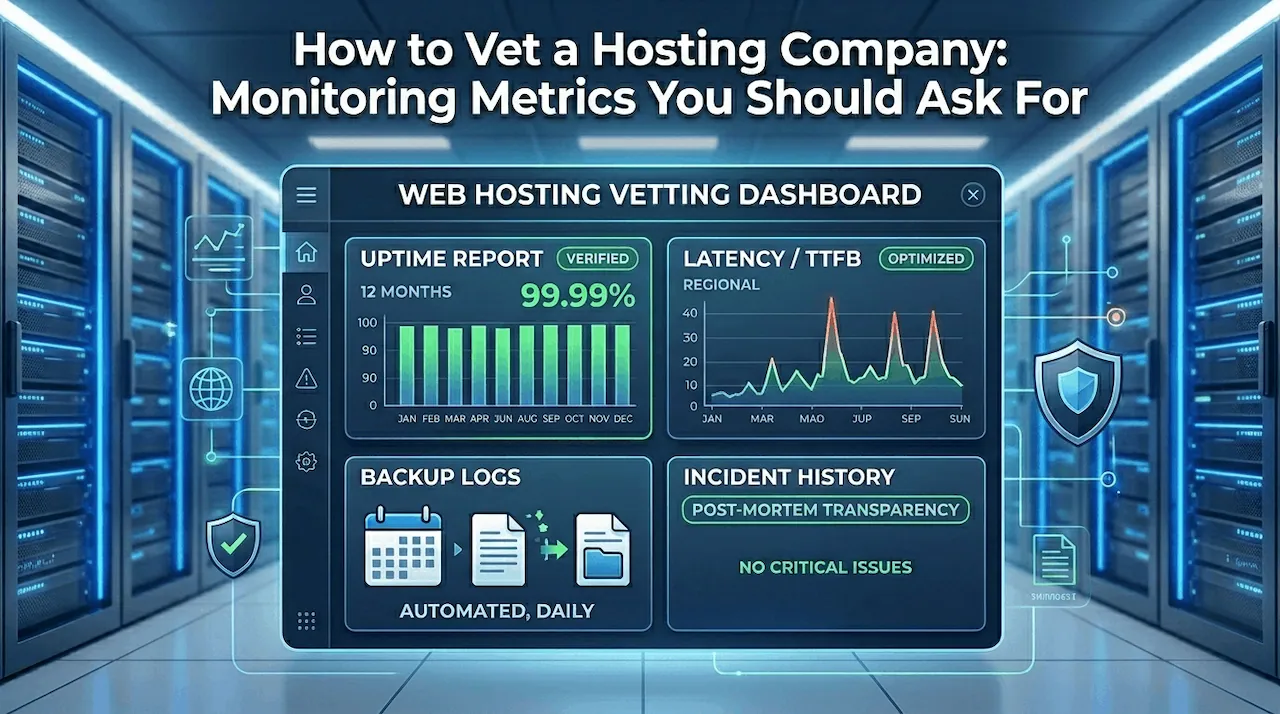
Selecting a server infrastructure partner is one of the most critical operational decisions an online organization can make. When evaluating providers, marketing promises and generic feature lists are not enough to guarantee performance. To protect your digital revenue, you must look at cold, hard server performance telemetry. Knowing how to choose a web hosting company for business requires moving past generic sales pitches and forcing providers to show real performance verification.
Vetting an infrastructure provider requires a systematic audit of their past performance, physical reliability, and contractual obligations. This technical guide, curated by the systems engineering team at CoHosta, outlines the precise monitoring metrics, historical reports, and legal documentation you must request before signing a service agreement.
What Metrics Should You Ask For When Vetting a Web Host?
Before moving critical digital assets to a new server, you should request historical performance data to verify operational transparency. Do not accept simple verbal confirmations of performance quality.
When auditing a provider, you should explicitly request historical hosting uptime reports spanning the last twelve months, detailed network response time graphs broken down by region, verified server backup verification logs, an unedited multi-year incident history report, and a legally binding service level agreement (SLA) document. Gathering this telemetry allows you to verify server capabilities before your operational workflow suffers from infrastructure instability.
The Real Value of Infrastructure Transparency
Top-tier providers maintain detailed dashboards that track server health and resource allocation in real time. If a provider hesitates to share historical network data, it usually indicates hidden resource limitations or unmanaged server density. Reliable corporate environments depend on data verification rather than blind trust.
Demanding Historical Hosting Uptime Reports and Performance Logs
Every provider claims to offer high availability, but raw data frequently tells a different story. You must look at verified server history logs to confirm these marketing claims.
Auditing Hosting Uptime Reports Beyond the Marketing Pitch
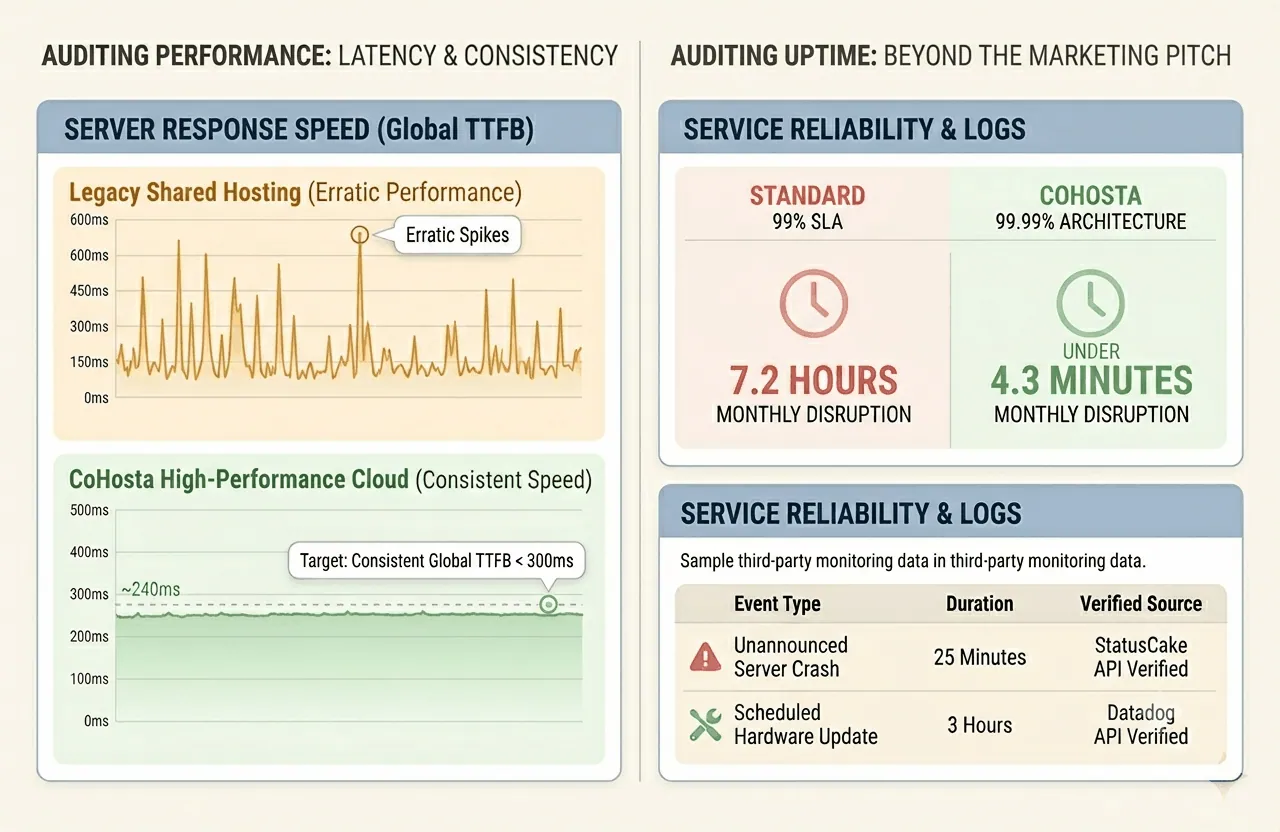
A standard 99% availability metric sounds impressive to a non-technical buyer, but it actually allows for over seven hours of unannounced operational disruption every month. For enterprise operations, this level of disruption can cause significant financial damage. You need to ask for hosting uptime reports that use third party monitoring software to verify performance levels over a long period. Make sure these documents distinguish between scheduled hardware updates and unannounced server crashes.
Analyzing Server Response Time Graphs
A server can stay online while processing data too slowly to support modern user experiences. You should demand access to server response time charts that show latency across different geographic regions. Your ideal partner should demonstrate a consistent global Time to First Byte (TTFB) below 300 milliseconds under heavy traffic loads. Spikes on these graphs usually point to bad neighbor issues on shared hardware or network routing bottlenecks.
“Even a 100-millisecond delay in website load time can hurt conversion rates by up to 7 percent, making server performance critical to business success.”
Verifying Backup Integrity and Incident History Data
Data security requires robust infrastructure planning and reliable automation. You must inspect how a potential platform manages recovery procedures and handles operational failures.
Reviewing Data Backup Logs and Retention Schedules
Data loss can ruin an online brand overnight. You need to ask detailed questions about backup schedules: Are snapshots saved on the same machine or sent to isolated storage arrays? How often are restoration scripts tested? When evaluating premium managed hosting services, the engineering team must provide automated validation systems showing that backups are consistently created and easily restorable.
Investigating Unedited Historical Incident Documentation
Every data center experiences occasional hardware issues. The key differentiator is how a provider addresses and fixes those problems. Ask to see the provider’s official incident reports from the last two years. A transparent post-mortem analysis shows how technical teams isolate bugs, minimize data loss, and update network systems to prevent future issues. Avoid platforms that attempt to hide past technical failures.
| Metric Category | Standard Expectation | Enterprise Business Standard |
|---|---|---|
| Uptime Guarantee | 99.0% unverified claim | 99.99% verified via historical third-party reports |
| Global Latency (TTFB) | 500ms to 800ms variable | Sub 300ms consistent across primary target regions |
| Backup Frequency | Weekly manual configuration | Daily automated offsite snapshots with 30-day retention |
| Incident Reporting | Vague system status pages | Detailed post-mortem transparency with root cause analysis |
Decoding the Hosting SLA: Guarantees vs. Fine Print
A sales agreement is only as reliable as the legal guarantees backing it up. You must carefully evaluate the contract language before migrating your data.
How to Read Hosting SLA Credit Structures
A standard hosting SLA outlines what happens when a provider fails to meet its performance commitments. Many buyers do not realize that these agreements rarely cover lost revenue or broken client trust. Instead, they usually offer small service credits. Read the terms closely to understand how downtime is calculated and ensure the process for claiming service credits is clear and fair.
Confirming Technical Support Responsibilities
When an online store goes offline at midnight, you cannot afford to wait days for an automated email response. Check the agreement to ensure it includes clear response time guarantees for critical errors. High-tier business web hosting plans must include a formal support agreement that guarantees fast access to senior systems engineers who can resolve server issues immediately.
The Business Buyer’s Infrastructure Vetting Checklist
Use this technical verification checklist when evaluating your next enterprise infrastructure provider:
- Availability Verification: Verified twelve-month availability logs showing at least 99.99% platform stability.
- Latency Verification: Regional data charts showing consistent TTFB performance under 300 milliseconds.
- Redundancy Auditing: Clear proof of automated, offsite backup schedules with tested recovery protocols.
- Contract Review: An SLA that clearly defines downtime credits and outlines fast emergency support access.
- Migration Evaluation: Access to expert WordPress technical support services to ensure a smooth server migration without data loss.
Do not compromise on your digital infrastructure requirements. If you need a reliable hosting environment built around performance transparency, expert engineering, and guaranteed system availability, our team at CoHosta is ready to help. Contact us today.
According to long-term server infrastructure studies published by the Information Technology Intelligence Consulting group, network stability directly dictates corporate profitability. Their industry data shows that 91% of enterprise organizations report that a single hour of server downtime costs more than $300,000, confirming why verifying historical availability logs is a critical step for online companies.Source: ITIC Hourly Downtime Cost Analysis